Test CSS
I have just started using SVG images on my WordPress website and have run into some difficulties.
How do I get my SVG images to display properly?
I want the images to display at full width on mobile devices. On laptops, I would like them to display with a maximum width so they do not get too big. What maximum width do you suggest? What CSS code will do this?
Here is a page with my first two SVG images:
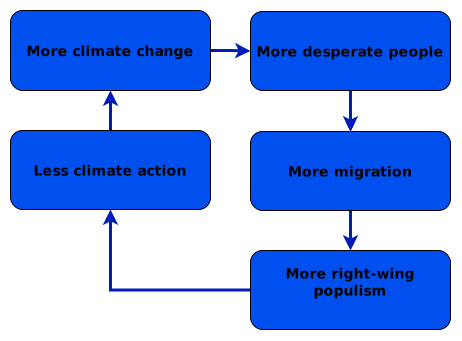
Here is the populism cycle piv010 as an SVG image
Here is the ice cycle (pic092)

I view this page via:
- my mobile via the Safari browser and
- my laptop via the Firefox browser.
The current problems are:
- On my mobile, the ice cycle image only shows its top-left corner.
- On my laptop, the ice cycle has a large gap between the bottom of the image and the image title.
- On my laptop, the ice cycle is smaller, which I like, whereas the populism cycle fills the full width of the text, which is a little too big.
I have had one victory. My Additional CSS code does control the SVG images. My SVG code sets the rectangle’s fill to orange, and my additional CSS code successfully overrides this to give a light yellow fill (fff9d6) and a dark line around each rectangle. This shows that my additional CSS code has worked.
I am using:
- Diagrams.net to create the SVG file
- WordPress Plugin SVG Support, which sets up the class “style-svg”
- Theme Atomic Blocks
- SVG optimiser: SVGOMG
- Plugin: Enable Media Replace
I have displayed these images using the WordPress Image block.
I have set SVG Support to force inline SVG: WordPress dashboard > settings > SVG Support settings:
- YES: sanitise SVG on front end:
- YES: CSS class to target = style-svg
- YES: force inline SVG
In the image block settings, I have set an additional CSS class: Advanced > additional CSS Classes > style-svg. When I experiment by removing this “style-svg”, it seems to make no difference to the SVG’s presentation. Why?
In diagrams.net, I did NOT pick a transparent background for my SVG diagram. I thought this would give more predictability for how the diagram appears.
Possible clues
When I view the SVG files that I loaded onto WordPress in MS Edge: (1) the ice cycle appeared at the top left of a white page, whereas (2) the populism cycle filled the small white page shown.
I use the plugin Jetpack. Could this be causing problems? I have seen this warning but do not know how to act on it.
Jetpack converts <img> tags into data:image/svg+xml base64 strings before SVG Support can inline them. Turn off Jetpack lazy loading for images, or use a filter/setting to exclude .svg files.
I know little about CSS and SVG XML code. I have been guided by artificial intelligence, which has been most useful despite hallucinations.
My current Additional CSS is ridiculous and needs severe pruning. Here it is:
/* Make SVGs fluid and prevent mobile overflow */
img[src$=".svg"],
svg.style-svg {
    display: block;
    width: 100% !important;
    max-width: 100% !important;
    height: auto !important;
}

/* Ensure parent wrapper containers do not restrict responsive scaling */
.style-svg {
    width: 100%;
    max-width: 100%;
}

/* =================================
   Style Draw.io Inline SVGs (via SVG Support plugin)
   ================================== */

/* 1. Force arrows and connector lines to black */
svg.style-svg path {
  stroke: #000000 !important;
  fill: #000000 !important;
}

/* Preserve transparent fill on line paths (so arrows don't become solid shapes) */
svg.style-svg path[fill="none"] {
  fill: none !important;
}


/* =================================
   Style Draw.io Inline SVGs
   ================================== */

/* 1. Force box backgrounds to soft yellow
   Targets diagram shapes while excluding full-size background canvases */
svg.style-svg  rect:not([width="100%"]):not([height="100%"]) {
  fill: #fff9d6 !important; /* Soft Yellow */
  stroke: #000000 !important;
}

/* 2. Force connector lines and arrow strokes to black */
svg.style-svg path {
  stroke: #000000 !important;
}

/* 3. Preserve transparency on line fills so arrows don't turn into black boxes */
svg path[fill="none"],
svg path:not([fill]) {
  fill: none !important;
}
Once I sort out how to use these SVG images, I have an enormous task in front of me. I must create about 60 SVG images of feedback cycles to replace the tables I currently use to present them. Unfortunately, these tables make my web pages very large and slow.
I am running Windows 11.
My plugins are:
Akismet anti spam
Enable media replace
Google analytics by monster insights
Jetpack
LiteSpeed cache
Redirection
SVG support
Ultimate blocks
Updraft Plus Backup
WordFence security
Yoast
15 August 2026
Code: zCSS